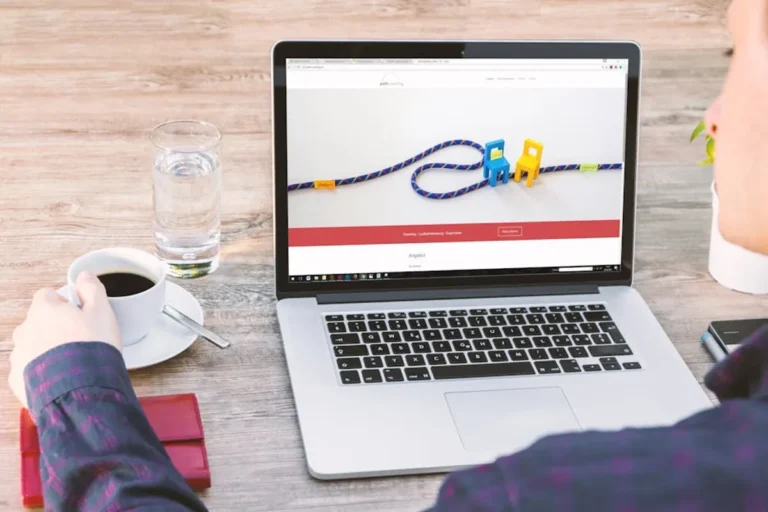

A personal website, once considered a digital hobby, has evolved into a critical professional asset. For consultants, freelancers, thought leaders, and job seekers, this online presence often serves as the initial point of contact and a primary determinant of credibility. The distinction between a casual blog and a professional platform hinges not on budget, but on deliberate design, rigorous content standards, and a focus on user experience. Achieving a professional aesthetic and functional standard for your personal site directly impacts how your expertise is perceived, influencing potential collaborations, client acquisitions, and career opportunities. This guide outlines the actionable steps to elevate your personal site from a mere online placeholder to a polished, professional extension of your brand. To further inspire your design choices, exploring examples of professional personal websites can offer valuable insights into effective presentation.
Establishing a Professional Visual Identity
The visual presentation of your personal site forms the immediate impression. A professional appearance signals attention to detail and a respect for your audience's time.
Visual Cohesion and Readability
A professional site utilizes a consistent visual language. This means selecting a limited color palette—typically 2-3 primary colors with complementary accents—and adhering to it across all elements. Typography also plays a critical role; choose 1-2 legible fonts for body text and headings, ensuring sufficient contrast with the background. Prioritize white space to prevent visual clutter, allowing content to breathe and improving readability. A cluttered layout suggests an amateur approach, while clean design conveys clarity and organization.
Mobile-First Responsiveness
With a significant portion of web traffic originating from mobile devices, a professional personal site must be fully responsive. This means the layout, images, and interactive elements adapt seamlessly to various screen sizes without compromising functionality or appearance. Non-responsive sites create frustrating user experiences, diminishing perceived professionalism and potentially leading to lost opportunities. Test your site across multiple devices and browsers to confirm consistent performance. Ensuring your site functions flawlessly on all devices is a key step to optimize your personal website for a broad audience.
Clear and Logical Navigation
An intuitive navigation structure is fundamental to a professional user experience. Visitors should be able to locate information quickly and effortlessly. Implement a clear, concise menu that uses descriptive labels (e.g., "Portfolio," "Services," "About," "Contact") rather than vague terms. Avoid overly complex multi-level menus. The goal is to minimize cognitive load, allowing users to focus on your content and offerings, not on figuring out how to navigate your site.
Curated Imagery and Media
High-quality visuals significantly enhance a site's professional appeal. Use professional headshots, relevant portfolio images, and high-resolution graphics that align with your brand. Avoid stock photos that appear generic or out of context. If using video, ensure it is well-produced and directly supports your content. All media should be optimized for web performance to prevent slow loading times, which undermine professionalism.
Cultivating High-Quality Content
Beyond aesthetics, the substance of your site—its content—is paramount. Professional content demonstrates expertise, builds trust, and provides tangible value.
Impeccable Grammar and Spelling
Errors in grammar, spelling, or punctuation immediately detract from professionalism. They signal carelessness and can erode credibility. Before publishing, rigorously proofread all text. Consider using professional editing tools or engaging a copy editor for critical pages like your 'About' section or service descriptions. A polished written voice reinforces your authority and attention to detail.
Demonstrating Expertise and Value
Your personal site should clearly articulate your skills, experience, and the value you offer. This can be achieved through:
- Detailed case studies illustrating your process and results.
- A portfolio showcasing relevant projects with descriptions of your role and impact.
- Thought leadership content (blog posts, articles) that addresses industry challenges or shares unique insights.
- Testimonials or endorsements from clients, colleagues, or mentors.
Each piece of content should contribute to establishing you as an authority in your field.
Scannable Content Formatting
Even the most insightful content can be overlooked if it's presented as a dense wall of text. Professional sites format content for easy consumption. Utilize:
- Short paragraphs (3-5 sentences).
- Descriptive subheadings (H2, H3) to break up sections.
- Bullet points and numbered lists for readability.
- Bold text to highlight key phrases.
- Sufficient line spacing.
This structure helps visitors quickly grasp main ideas, enhancing their experience and demonstrating a consideration for their time.
Pro Tip: Focus on a specific niche or area of expertise. While a personal site can cover various interests, a professional site gains credibility by demonstrating deep knowledge in a defined field. Avoid trying to appeal to everyone; instead, target your ideal audience with specialized content and services.
Ensuring Technical Reliability and Security
Underlying technical aspects are often invisible until they fail, at which point they severely compromise professionalism.
Optimized Site Performance
Slow loading times are a significant deterrent. A professional site loads quickly, ideally within 2-3 seconds. Optimize images, leverage browser caching, minimize JavaScript and CSS, and choose a reliable hosting provider. Regular performance audits ensure your site remains fast and responsive, reflecting efficiency and technical competence.
SSL for Trust and Security
An SSL certificate (HTTPS) encrypts data between your site and visitors, indicated by a padlock icon in the browser. This is no longer optional; it's a fundamental security measure that builds trust and is expected by users. Sites without HTTPS are often flagged as "not secure" by browsers, immediately undermining professionalism and potentially deterring visitors.
Custom Domain and Reliable Hosting
A custom domain (e.g., yourname.com) is essential for professionalism. It's memorable, brandable, and signals a serious commitment to your online presence. Avoid free subdomains (e.g., yourname.platform.com). Pair this with a reputable hosting provider that offers consistent uptime, robust security features, and responsive customer support. Downtime or slow server responses directly reflect poorly on your professionalism.
Maintaining a Consistent Brand Presence
Consistency across all touchpoints reinforces your professional identity.
Unified Branding Elements
Ensure your logo, color palette, typography, and overall visual style are consistent not only across your website but also on your social media profiles, email signatures, and any other professional communications. This creates a cohesive brand experience that is instantly recognizable and reinforces your professional image.
Consistent Tone and Voice
The language you use on your site should reflect your professional persona. Whether it's formal, approachable, authoritative, or innovative, maintain a consistent tone and voice throughout all content. This builds a clear brand personality and helps your audience understand what to expect from you professionally.
Strategic Calls to Action
A professional personal site often has clear objectives, whether it's to generate leads, secure speaking engagements, or attract collaborators. Integrate strategic calls to action (CTAs) that guide visitors towards these goals. Examples include "Download My Resume," "Schedule a Consultation," "View My Portfolio," or "Connect on LinkedIn." Ensure CTAs are clear, prominent, and compelling.
Refining Your Professional Online Presence
Achieving and maintaining a professional personal site is an ongoing process. Regular review and refinement are crucial.
Periodically audit your site for broken links, outdated information, and slow-loading elements. Solicit feedback from peers or mentors to gain an external perspective on usability and professionalism. As your career evolves, ensure your site reflects your current skills, achievements, and professional direction. A professional site is a living document, requiring consistent attention to remain relevant and impactful.
Frequently Asked Questions
Is a custom domain truly necessary for a professional personal site?
Yes, a custom domain (e.g., yourname.com) is crucial. It conveys professionalism, makes your site memorable, and establishes your brand authority, distinguishing you from free or generic subdomains.
How often should I update my personal site's content?
Update your content regularly, especially your portfolio, 'About' section, and any blog or news sections. For professional sites, aim for at least quarterly reviews to ensure all information is current and relevant to your professional goals.
What's the most important element for a professional look if I have a limited budget?
If budget is a constraint, prioritize clean design, high-quality content (impeccable grammar, clear value proposition), and a fast-loading, mobile-responsive template. These elements provide the most significant return on investment for perceived professionalism.
Should I include my resume directly on my personal site?
For many professionals, including a downloadable PDF of your resume or a dedicated 'Experience' section with key highlights is beneficial. Ensure it's easily accessible and consistently updated to reflect your latest achievements.